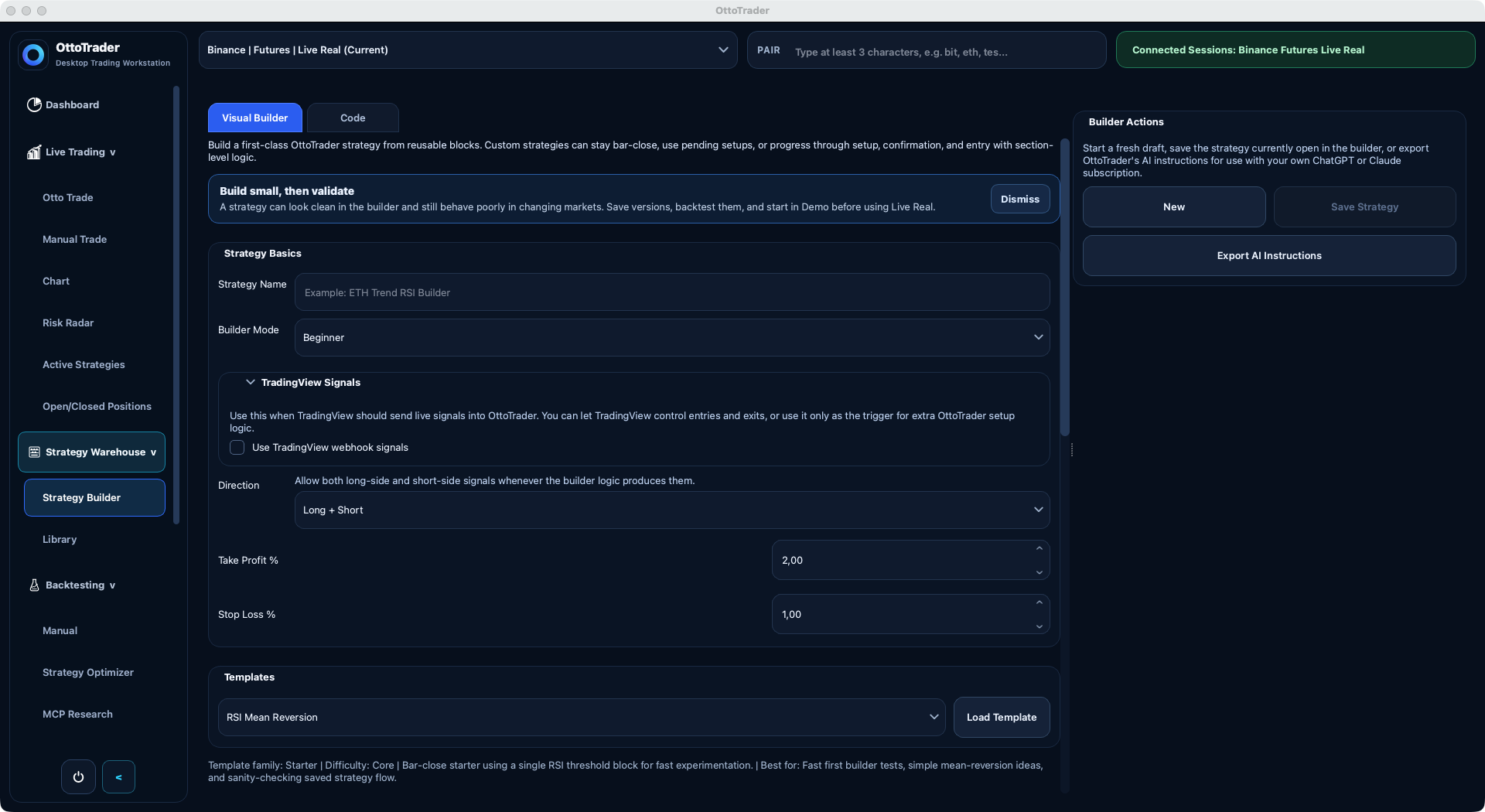
Your trading workspace, in one place.
Open the desktop app to manage strategies, backtests, exchange context, market views, statistics, and trading controls from one focused workspace.
If your backtests, strategy rules, live controls, and exchange keys are scattered across tools, every live decision gets harder. OttoTrader brings the workflow into a desktop workstation built for testing first and controlled automation second.

Open the desktop app to manage strategies, backtests, exchange context, market views, statistics, and trading controls from one focused workspace.
OttoTrader desktop currently supports exchange contexts for Binance, BingX, Bybit, Bitget, KuCoin, MEXC, Kraken, and Coinbase Advanced Trade.

Create your account, confirm your email, and OttoTrader applies the launch offer while spots remain after email confirmation.
Your exchange API keys stay in the desktop app, not on the website.
Backtests, realistic assumptions, reports, and checks help you review a strategy before live use.
You choose the exchange, market, mode, pair, sizing, and protections before anything runs.
Buyers can review public reports without exposing protected strategy logic.
Explore the core screens that solve the everyday workflow problems: building strategies, managing live sessions, reviewing backtests, optimizing parameters, charting markets, exporting reports, and staying aware of market context.
OttoTrader is built for traders who want automation, but also want evidence, statistics, security boundaries, and control before anything reaches live capital.
When testing one idea takes hours, traders stop testing. OttoTrader keeps multi-year research, assumptions, trades, and reports in minutes so weak setups can be rejected faster.
A bot that runs without visible context is not control. OttoTrader keeps pair, exchange, mode, sizing, protection, open positions, pause, resume, and stop controls close together.
PnL alone is too thin. OttoTrader surfaces activity, fees, open risk, mark-to-market equity, calendar history, validation checks, and strategy health so performance is easier to inspect.
AI can help draft and revise strategy logic, but OttoTrader makes the generated JSON pass product rules, local validation, and your review before it becomes operational.
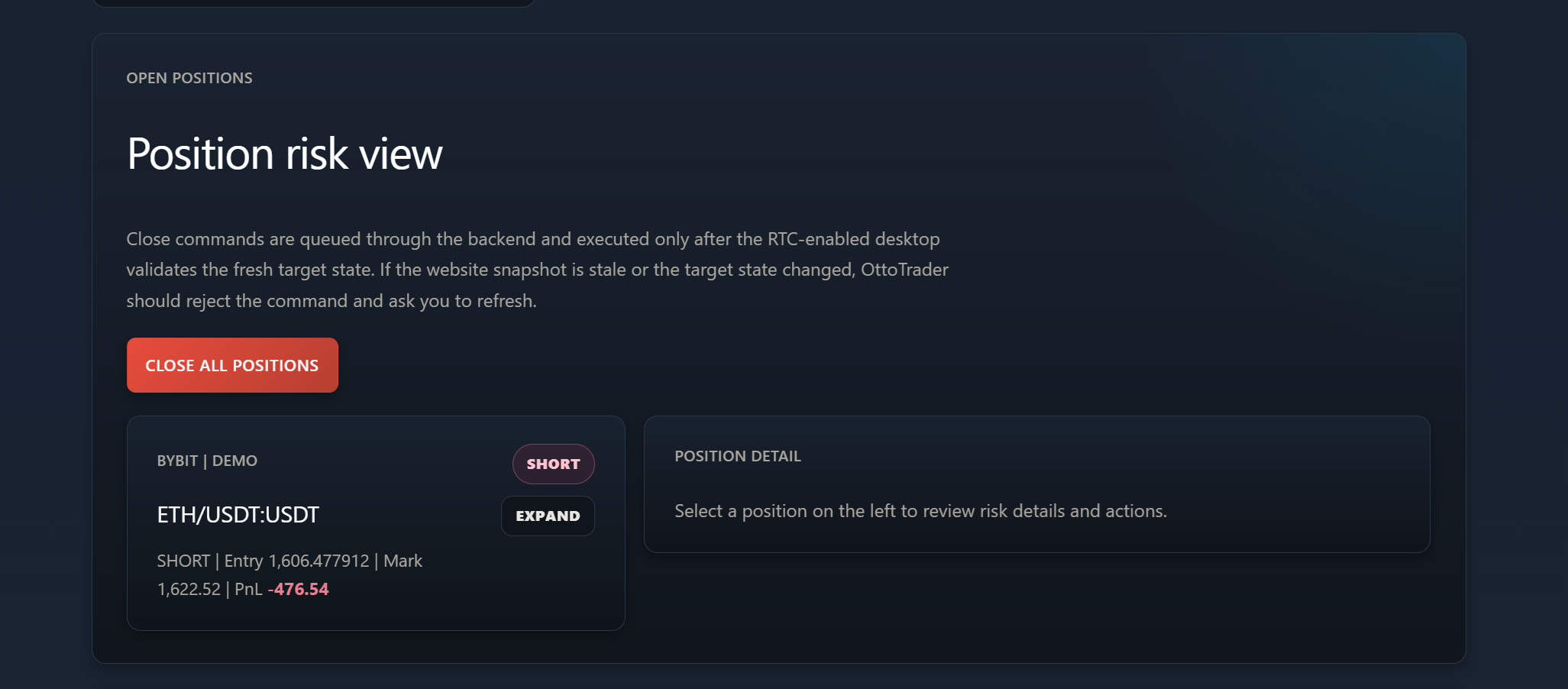
Remote Trading Center lets you inspect desktop state and request guarded actions from the website while exchange keys and final execution stay on your own desktop.
Buyers need confidence and sellers need protection. OttoTrader uses buyer-safe Public Reports, ownership records, and protected delivery boundaries around marketplace strategy software.
OttoTrader separates account management from trading control, so your exchange credentials and live execution stay in the desktop app.
Use your OttoTrader account for sign-in, billing, downloads, tutorials, marketplace purchases, seller tools, and plan access.
Remote Trading Center can show desktop status and request supported actions, while your own desktop validates what can happen.
Exchange keys, AI provider keys, strategy files, backtesting, Demo, Live Real checks, and execution control stay in the desktop app.

The Settings area keeps exchange connection setup inside the desktop workspace, so account pages never need your exchange secrets.
RTC is a website companion for your own OttoTrader desktop app. It can show fresh desktop state and queue guarded requests, while the desktop validates the account, target, exchange, mode, and current runtime state before anything happens.
Move from an idea to a tested strategy, understand the risks, inspect the statistics, and keep control before you decide to go live.
When strategy rules live in screenshots and memory, mistakes slip through. Build entries, exits, filters, portfolio rules, TradingView behavior, and execution settings with the logic visible.
Good traders test more than one cherry-picked run. Run focused manual tests or broader Strategy Optimizer research with clear windows, costs, assumptions, and reports.
AI is fast at drafting and bad at proving. Use it to draft or revise strategy ideas, then review and validate them locally before they can run.
Automation should have visible brakes. Pause, resume, stop, manage manual positions, review protection, and separate Demo workflows from Live Real exposure.
Connect TradingView alerts while OttoTrader keeps exchange context, sizing, protections, and execution checks in the desktop app.
Buying, selling, downloading, tutorials, and remote status should not be scattered across different portals. Manage the account side from one website workspace.
The problem with many workflows is the gap between research and execution. OttoTrader keeps the strategy visible as it moves from builder to validation, Demo, and Live Real.
Turn loose trading ideas into explicit strategy rules with Visual Builder, Code, imports, TradingView alert setup, or AI-assisted drafts.
Find weak assumptions before they cost real money with manual backtests, Strategy Optimiser research, costs, robustness checks, and reports.
Run automation only with the context visible: pair, exchange, mode, sizing, protections, manual positions, and Demo versus Live Real separation.
Keep statistics, positions, running strategies, RTC snapshots, and risk visible while the desktop remains the execution authority.
Trading is risky. Backtests are hypothetical. Users choose and control their own strategies, exchange accounts, risk settings, and live deployment decisions.
Understand how OttoTrader works, where your keys stay, and how AI fits into the workflow.
No. Your browser is for account access, pricing, marketplace browsing, tutorials, Market Pulse, and remote status. Strategy building, exchange credentials, backtesting, Demo, and Live Real control stay in the desktop app.
Yes, through the desktop app after you connect a Live Real exchange, choose the strategy and pair, and confirm sizing, leverage, and protection settings. Demo is the safer place to learn the workflow first.
Exchange API keys stay local to the desktop app and can be stored through Windows Credential Manager. The website does not collect exchange secrets.
AI helps draft, revise, explain, and export strategy instructions. OttoTrader still validates generated strategy files locally before applying them to the builder.